Details
-
Type:
 Bug
Bug
-
Status: Open
-
Priority:
 Major
Major
-
Resolution: Unresolved
-
Affects Version/s: 5.13.3
-
Fix Version/s: 5.13.4
-
Component/s: Staff Interface
-
Labels:None
Description
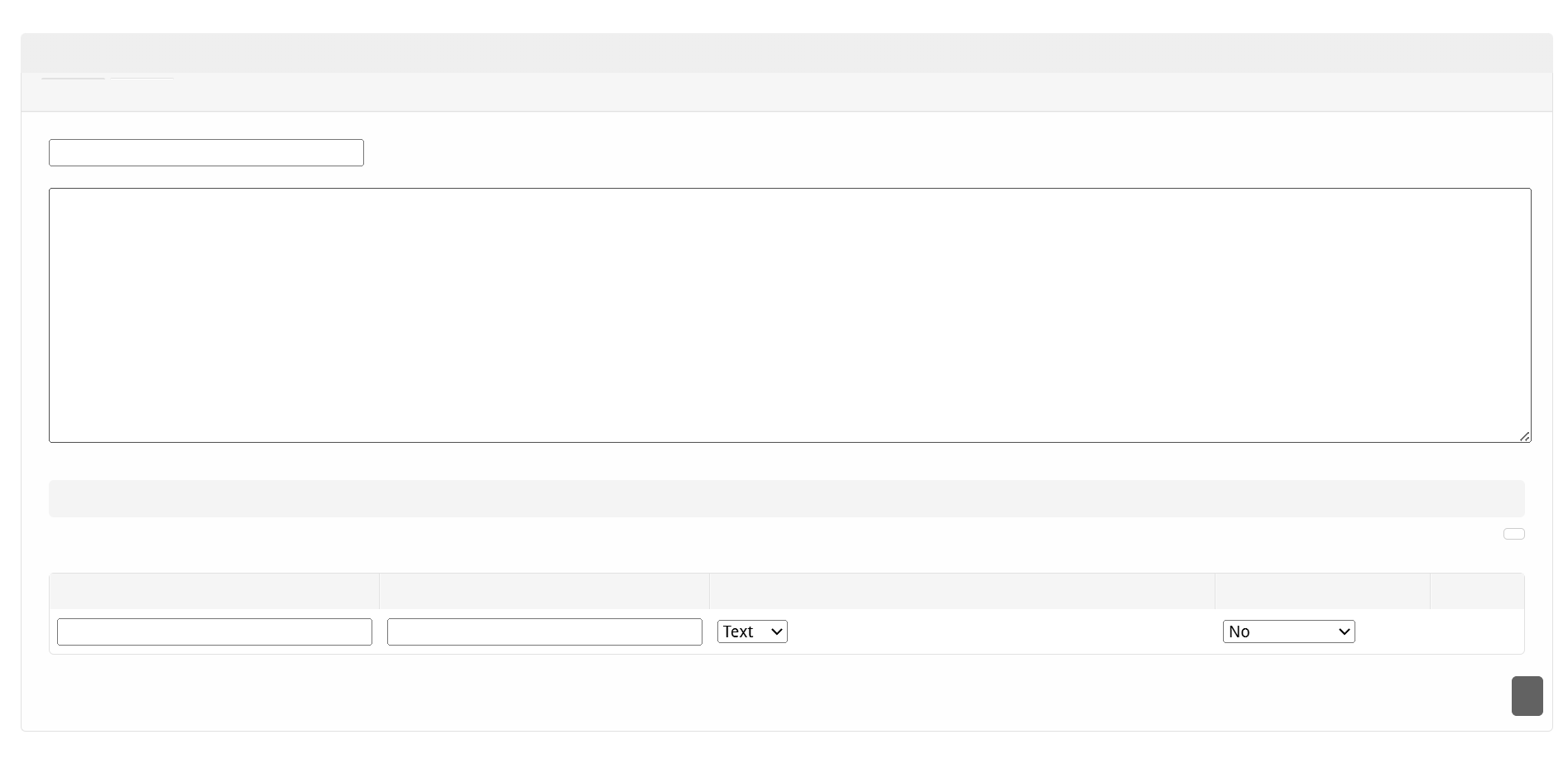
Much of the text, including button text does not appear when creating a custom report under Billing > Reports. Text is also missing for the actions when viewing custom reports.
Problem
The /admin/reports_customize/add/ page displays no text in:
- Widget heading
- Table headings
- Button at the bottom
Root Cause
The AdminReportsCustomize controller is missing the Language::loadLang() call in its preAction() method. The language file exists at language/en_us/admin_reports_customize.php with all correct translations, but it's never loaded.
Comparison:
- admin_reports.php (line 26): Language::loadLang(['admin_reports']); YES
- admin_reports_customize.php: Missing Language::loadLang() call NO
Fix
Add the language loading call to public_html/app/controllers/admin_reports_customize.php in the preAction() method:
 public function preAction()
 {
     parent::preAction();

     // Require login
     $this->requireLogin();

     $this->uses(['ReportManager']);

     Language::loadLang(['admin_reports_customize']);  // <-- Add this line
 }
File to Modify
- public_html/app/controllers/admin_reports_customize.php (line ~25, after the $this->uses() call)
Verification
1. Navigate to /admin/reports_customize/ - verify the "Reports" heading, tabs, and "Add Report" button are visible
2. Navigate to /admin/reports_customize/add/ - verify:
- Widget title "Reports" appears
- Tabs "Generate" and "Customize" have text
- Form labels "Name" and "Query" appear
- "Fields" section heading appears
- Table headers (Label, Name, Type, Required, Options) appear
- "Save" button has text
3. Navigate to edit page (if a report exists) - verify same elements display text